How to configure side-by-side for ASP in IIS
Here we configure the Examples/iis6/sxs1 ASP application to use side-by-side isolation in IIS 7.5. The same procedure applies to newer versions of Windows.
Create a new application pool, for example AspApplicationPool.
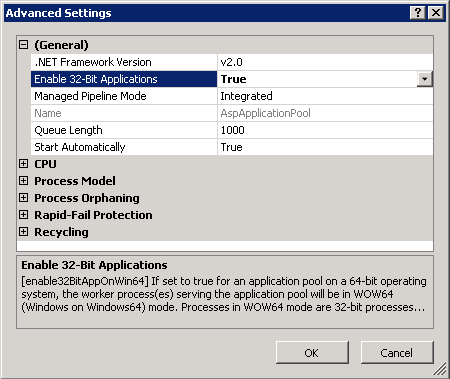
We used a 32-bit application on a 64-bit Server so we also needed to configure this application pool to support 32-bit applications:
Copy the entire Examples/iis6/sxs1 folder to your Windows server.
We used C:\inetpub\aspSxSexample folder as target:
Directory of C:\inetpub\aspSxSexample

03/13/2010 03:57 AM <DIR> .
03/13/2010 03:57 AM <DIR> ..
03/01/2010 03:57 AM 777 a.a.a.manifest
03/01/2010 03:57 AM 489 default.asp
03/01/2010 03:57 AM <DIR> Maze.IIS6 Test.1
03/01/2010 03:57 AM <DIR> Maze.IIS6 Test.2
2 File(s) 1,266 bytes
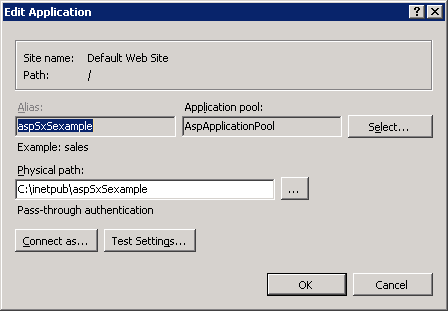
Create a web application in the above folder, for example aspSxSexample.
Assign the application to the above application pool:
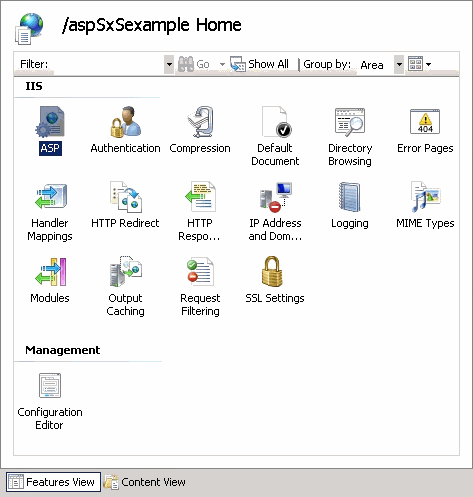
Open ASP settings by clicking the ASP icon in application features:
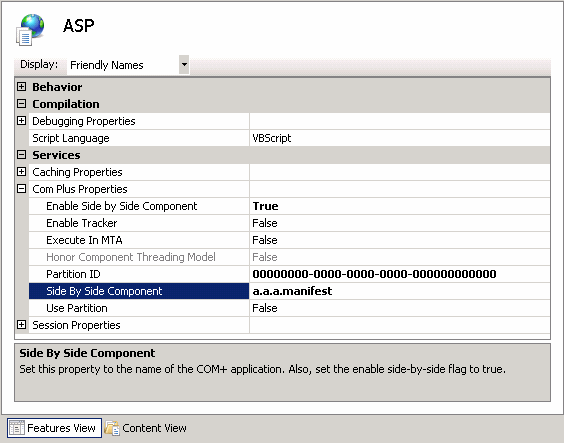
Set the options Enable Side by Side Component to True and Side by Side Component to a.a.a.manifest as shown here:
Apply the changes by clicking the Apply button in the right pane.
We are now ready to test the application.
Run a web browser and open the new application's URL:
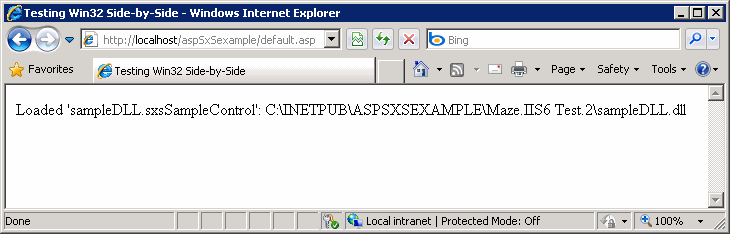
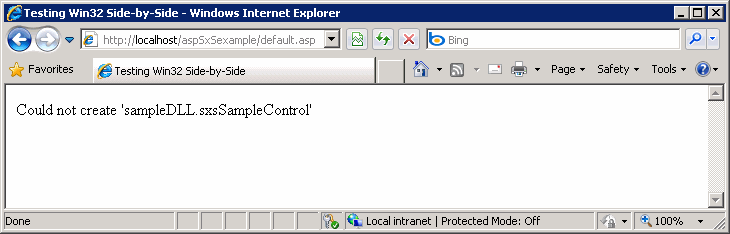
If you go back to the ASP settings and turn off side-by-side the page reports:
Go back to the IIS 7 configuration topic.